Issues After Installation
JRE_HOME on Execution
Execution:
- Windows: [extracted_path]/bin/startup.bat
- Linux: [extracted_path]/bin/startup.sh
-
This issue occurs when the JRE_HOME system variable is not registered. The log message will be: "The JRE_HOME environment variable is not defined correctly. This environment variable is needed to run this program."
-
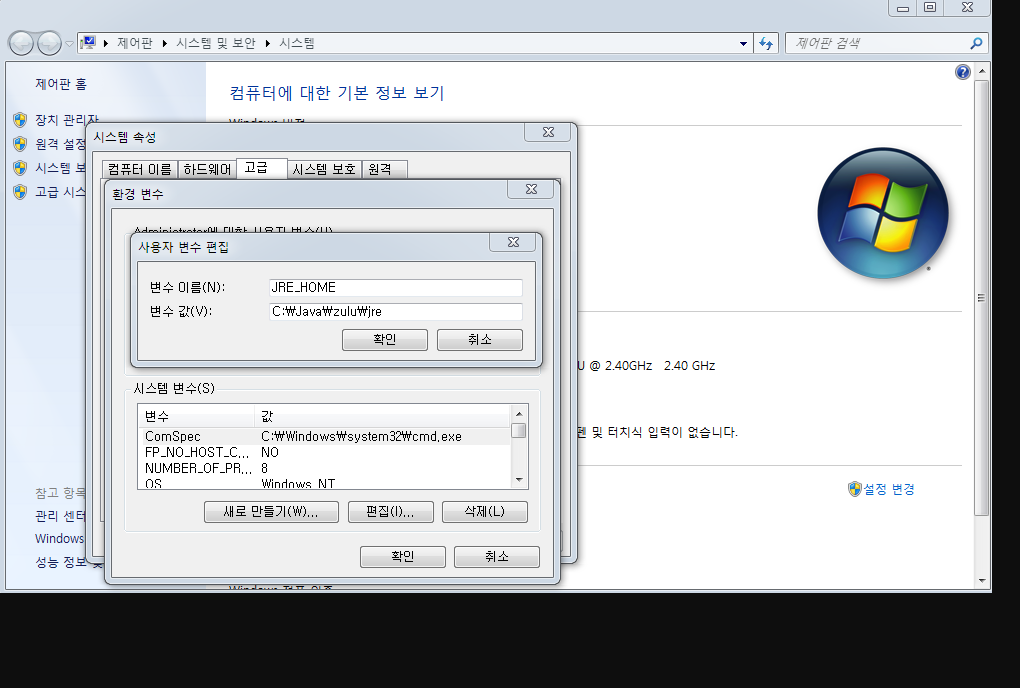
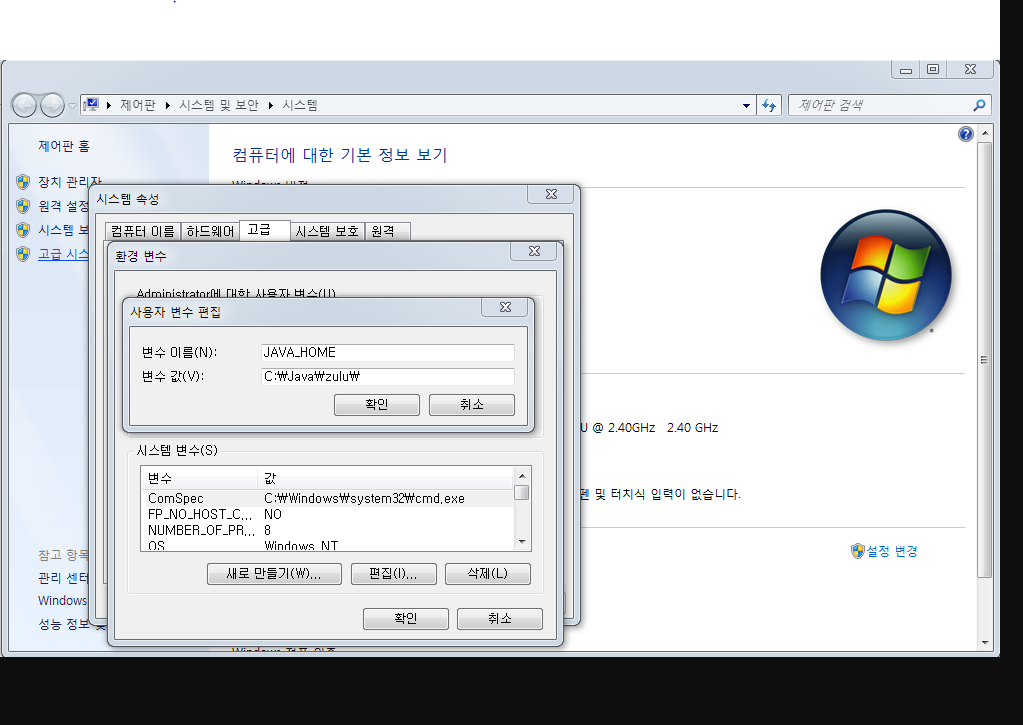
Action: Right-click on My Computer -> Click Properties -> Advanced System Settings -> Click Environment Variables Click New and enter the following:
JAVA_HOME
Variable Name: JAVA_HOME
Variable Value: [Add the Java installation path here and confirm] e.g., C:\Java\zulu
JRE_HOME
Variable Name: JRE_HOME
Variable Value: [Add the Java installation path here and confirm] e.g., C:\Java\zulu\jre